
Download Cinema Tools APK – Depth of Field Calculator, Cinematography Tool, Film Production Software
Overview
The Cinema Tools APK is a specialized utility developed by Eastman Kodak Company for Android devices, designed to assist cinematographers, photographers, and directors in calculating depth of field (DoF) during film and video production. The app addresses a core challenge in visual storytelling: determining how much of a scene will appear acceptably sharp based on camera settings. By providing accurate DoF calculations, it enables users to make informed decisions about focus, aperture, focal length, and distance—critical elements in achieving desired visual effects.
Whether aiming for shallow focus to isolate a subject or deep focus to maintain clarity across a wide scene, the app supports precise planning. It is particularly useful during pre-production and on-set adjustments. The software targets professionals and enthusiasts in film and video creation who rely on technical precision.
The developer, Eastman Kodak Company, is known for its legacy in imaging and film technology, lending credibility to the tool’s accuracy. Real-world applications include shot planning for cinematic sequences, documentary filming, and photography sessions requiring exact focus control. The app is accessible directly on Android smartphones and tablets, making it a portable solution for on-the-go professionals.
Key Features & Capabilities
- Depth of Field Calculation – Computes near and far limits of focus, hyperfocal distance, and circle of confusion based on input parameters such as focal length, aperture (F-stop), and subject distance.
- Multi-Unit Support – Displays results in both feet and meters, accommodating international and regional workflow preferences.
- Reverse Calculation Mode – Allows users to input the far limit distance and focal length to determine the near limit, offering flexibility in shot planning.
- 35mm Film Compatibility – Specifically optimized for 35 mm film format, ensuring accurate results for traditional cinematic workflows.
- On-Set Utility – Designed for quick, real-time calculations during filming, supporting rapid adjustments to camera settings.
These features empower users to pre-visualize focus zones before shooting. For example, a cinematographer preparing a scene with a subject 10 feet away, using a 50 mm lens at f/8, can instantly determine the depth of field range and hyperfocal distance. This helps in selecting the right aperture to achieve either a shallow or deep focus effect. The app’s ability to reverse-calculate the near limit is especially valuable when framing shots with a known far point. Its compact design and mobile accessibility make it ideal for use in dynamic production environments where portability and speed are essential.
User Interface, Workflow & Performance
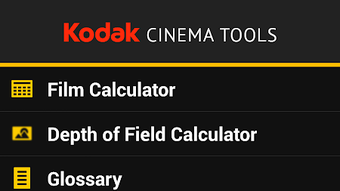
The user interface of Cinema Tools APK is structured around input fields and clear output displays, prioritizing functionality over visual embellishment. Navigation is straightforward, with dedicated fields for subject distance, focal length, F-stop, and output units. The layout supports efficient data entry, allowing users to adjust values in real time and observe immediate changes in the calculated results.
Workflow efficiency is enhanced by the app’s minimalistic design, reducing distractions during high-pressure production scenarios. The app operates without requiring internet connectivity, enabling reliable use in remote or low-signal locations. Performance observations are based on general software behavior patterns, as specific performance metrics were not provided.
The developer did not specify resource usage details, but given the app’s small file size of 4.5 MB, it is likely optimized for low memory and CPU consumption. Stability is expected to be consistent, as the app focuses on a single, well-defined task. No reported issues with crashes or lag were mentioned.
The interface is responsive to touch inputs, suitable for use on various Android screen sizes.
Compatibility & System Requirements
Cinema Tools APK is designed for Android devices and is compatible with the latest Android operating systems. The software version is 1.0.0, released on February 10, 2024. The installation size is 4.5 MB, indicating a lightweight footprint suitable for most Android smartphones and tablets.
The developer did not specify exact system requirements, such as minimum Android version, RAM, or processor specifications. Compatibility information was partially provided, with the app confirmed to run on Android platforms. Users should ensure their device meets general Android compatibility standards for app installation.
No additional hardware dependencies are required. The app does not rely on cloud services or external APIs, operating entirely offline. This reduces dependency on network conditions and enhances reliability in field environments.
Pros and Cons
Pros
- Free to download and use, making it accessible for independent creators and students.
- Specifically tailored for film and video professionals using 35 mm film.
- Provides accurate depth of field calculations with support for reverse input logic.
- Lightweight at only 4.5 MB, ensuring fast installation and minimal storage impact.
- Operates offline, ideal for use in remote or low-connectivity areas.
Cons
- Compatibility with older Android versions is not confirmed.
- Only supports 35 mm film format; no options for digital sensors or other film gauges.
- Limited to Android platform; no versions available for iOS or desktop.
- Does not include advanced features like lens distortion correction or focus stacking.
- Interface is functional but lacks modern visual polish or customization options.
FAQ Section
Is Cinema Tools APK free to use?
Yes, the app is available at no cost. It does not require a subscription or in-app purchases.
Does the app work offline?
Yes, Cinema Tools APK operates entirely offline. No internet connection is needed to perform calculations.
What Android versions are supported?
The developer did not specify the minimum Android version required. The app is compatible with current Android devices, but older versions may not be supported.
Can I use this app for digital cameras?
The app is specifically designed for 35 mm film format. It may not provide accurate results for digital sensors or other film types without adjustments.
How often is the app updated?
The latest version, 1.0.0, was released on February 10, 2024. No information on future update frequency was provided.
Final Thoughts + CTA
Cinema Tools APK delivers a focused, reliable solution for professionals and enthusiasts in film and video production who need precise depth of field calculations. Its specialization in 35 mm film, combined with accurate, offline functionality, makes it a valuable companion on set. While it lacks support for digital formats and cross-platform availability, its core purpose is executed with clarity and efficiency.
The app’s lightweight design and free access further enhance its appeal. For cinematographers, directors, and photographers working with traditional film, this tool offers a practical, no-frills way to plan focus with confidence. If you're involved in film production and rely on manual focus or precise depth control, this app is a must-have.
Download Cinema Tools APK now.





.png)

